5 Best Customer.io Alternatives for Lifecycle Marketing and Customer Engagement (2026)
Compare the top Customer.io alternatives and competitors for 2026 — Sortment, Iterable, Braze, MoEngage, and OneSignal — on speed, AI, and lifecycle fit.
Abhimanyu
·
Blogs
·
Customer.io works well for engineering-led teams that want precise control over event-based messaging. The API-first setup is a genuine advantage when developers are closely involved in growth. That same setup becomes a bottleneck when your marketing team needs to move without an engineering queue.
Three situations tend to push teams toward a Customer.io alternative: marketers need to build and update segments without filing tickets, the analytics inside the platform don't go deep enough for lifecycle decisions, or pricing increases faster than the team's ROI from the platform.
Here are five Customer.io alternatives worth a serious look, compared on execution speed, data capabilities, and fit for different team structures.
What Should You Look for in a Customer.io Alternative?
The right Customer.io alternative depends on where the gap is for your team. These five areas are worth evaluating before committing to a switch.
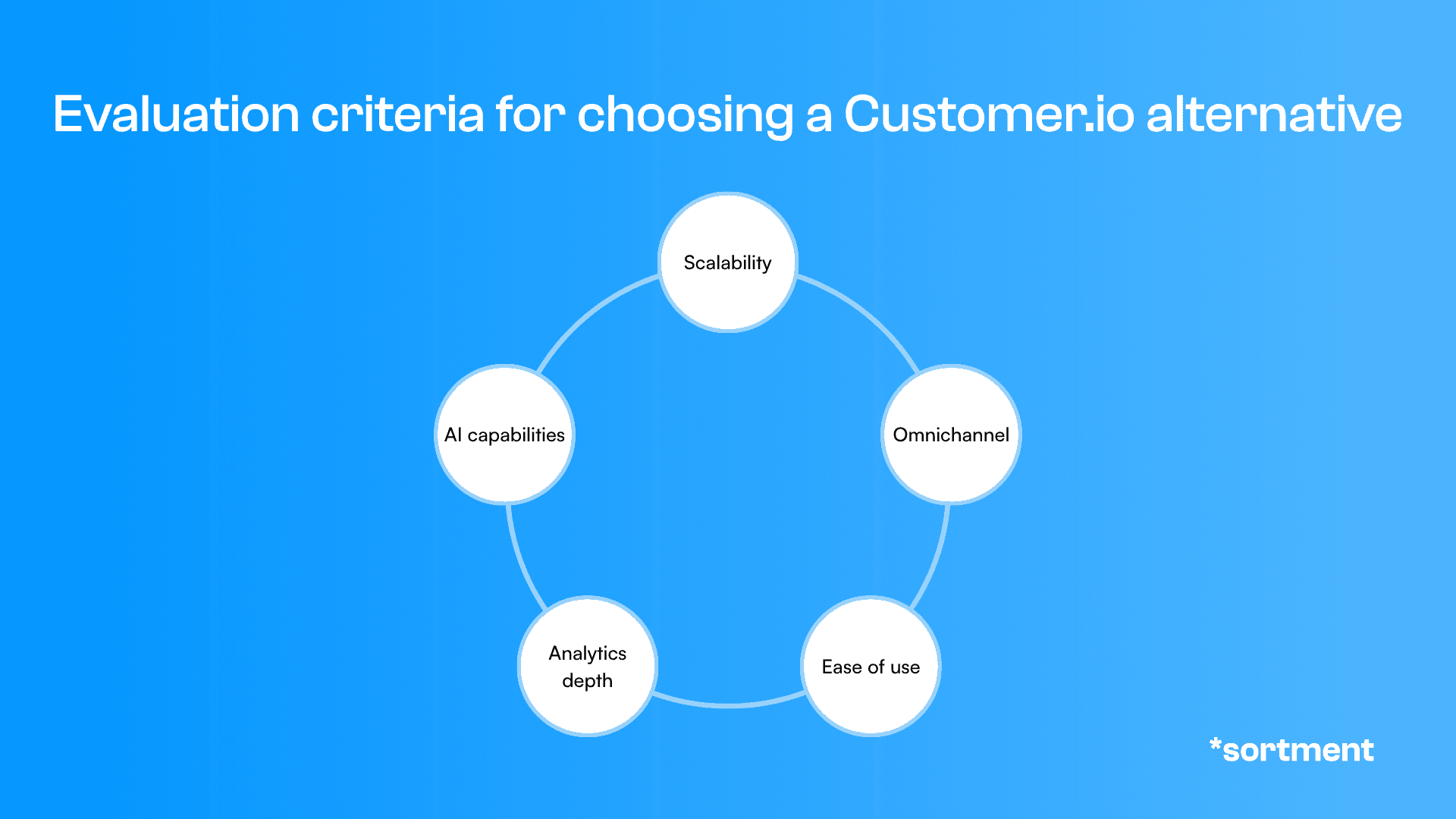
Image: The five criteria that matter most when evaluating a Customer.io alternative for lifecycle marketing teams
Scalability
As your contact list and event volume grow, your platform should handle more without requiring you to rebuild segment logic or renegotiate pricing on short notice. Some platforms that feel affordable at 50,000 contacts become expensive by 500,000.
Omnichannel Capabilities
Customer.io covers email, SMS, push, and in-app. A good alternative matches that coverage and connects those channels in a single workflow, rather than treating each as a separate send with separate reporting.
Ease of Use
If your team needs to request engineering support to change a trigger condition or add a user attribute, the platform is slowing you down. Look for tools where marketers can make changes directly, without depending on a developer for every iteration.
Analytics Depth
Send rates and open rates tell you what happened. Cohort analysis, behavioral segmentation, and lifecycle stage tracking tell you why. The right alternative should help your team understand both, ideally without a separate analytics tool sitting alongside it.
AI Capabilities
Automation that saves real time looks different from automation that requires configuration time to set up. Evaluate whether the AI in a platform reduces your workload or adds another layer to manage.
What Are the Best Customer.io Alternatives in 2026?
Every platform below executes campaigns and handles lifecycle messaging. The right choice depends on your team size, data infrastructure, and how much of your current stack you want to replace versus extend.
Platform | Best For | What Stands Out | When to Choose |
Sortment | Mobile apps, PLG, subscriptions | Proactive opportunity identification, outcome-based POC | When you want your platform to find revenue, not just send messages |
Iterable | Enterprise lifecycle teams | Cross-channel journeys, deep segmentation | When you need complex multi-step workflows at scale |
Braze | Real-time engagement at scale | Sub-second event triggers, advanced personalization | When user volume demands real-time precision |
MoEngage | Mobile-first B2C teams | Native mobile SDKs, faster onboarding | When mobile push and in-app are primary channels |
OneSignal | Early-stage teams | Simple setup, reliable push delivery | When push is your main channel and budget is tight |
Table: Top Customer.io alternatives compared by use case, execution approach, and when to make the switch
1. Sortment — Built to Find and Execute Growth Opportunities
Customer.io gives your team a capable execution layer. It runs on what you already know to send. Sortment is built around the assumption that the campaigns worth running are often the ones your team hasn't thought to run yet.
When to choose Sortment over Customer.io:
Your team wants the platform to flag behavioral shifts automatically (a cohort dropping off, a conversion flow losing users) and surface which segments to target next, not just execute what you've already decided
You're evaluating with a specific outcome in mind (retention, activation, or conversion) and want to see results in 30 days, not after a year-long rollout
You want both the strategy and the execution built in: the platform tells you what to run, builds the audience, writes the content, and monitors performance. Your team reviews and approves.
What actually stands out:
Sortment identifies growth opportunities and behavioral shifts your team didn't know to look for. A segment ready to upsell, a drop-off that needs a win-back flow, a reactivation window your current setup missed: the platform surfaces these before your team does. It then tells you what to run, builds the audience, writes the content, and monitors performance. Your team reviews and approves.
Best for: Mobile apps, subscription products, and B2C growth teams that want a platform with a strategy brain and an execution arm.
2. Iterable — Best for Complex Cross-Channel Journeys
Iterable is the platform that comes up most often alongside Customer.io when enterprise lifecycle teams start evaluating their options. It handles more journey complexity and scales to larger teams.
When to choose Iterable over Customer.io:
You need multi-step journey logic with conditional branching across email, SMS, push, and in-app
Your team runs frequent A/B experiments at the journey level, not just individual messages
You have a dedicated lifecycle team and the headcount to manage a more complex platform
What actually stands out:
Iterable's journey builder handles conditional logic across channels in a way that Customer.io's simpler workflow model does not. Its segmentation is deeper for teams combining behavioral event data with user attributes at scale. The tradeoff is onboarding time — Iterable typically requires a more involved setup and needs dedicated resources to get full value.
Best for: Enterprise teams with dedicated lifecycle functions and complex, multi-channel user journeys.
3. Braze — Best for Real-Time Personalization at Scale
Braze is built for teams with large user volumes that need real-time event triggers and personalization with minimal latency.
When to choose Braze over Customer.io:
Your campaigns depend on real-time behavioral triggers — cart abandonment, session re-engagement, transactional messages
You manage millions of active users and need enterprise-grade reliability
You have both data and lifecycle teams to operate the platform
What actually stands out:
Braze processes events in real time and fires campaigns with sub-second latency, which matters for high-frequency consumer apps where timing directly affects conversion. Its Canvas flow builder handles sophisticated journey logic. The platform is significantly more expensive than Customer.io and requires more internal infrastructure to run well. Teams comparing their options more broadly can find a detailed breakdown in this comparison of Braze alternatives.
Best for: Enterprises with real-time engagement requirements and the internal resources to match.
4. MoEngage — Best for Mobile-First Omnichannel Teams
MoEngage is built for consumer apps where mobile push and in-app messaging drive most of the engagement, and where faster setup matters more than API flexibility.
When to choose MoEngage over Customer.io:
Mobile push and in-app are your primary engagement channels
You want native mobile SDK support rather than a general API integration
You need faster time-to-first-campaign than Customer.io's configuration-heavy setup allows
What actually stands out:
MoEngage ships native SDKs for iOS and Android that reduce engineering setup time compared to Customer.io. It includes built-in behavioral analytics alongside the messaging layer, so you get user behavior data and campaign execution in one platform without stitching them together. Teams looking at this space more broadly may find the breakdown of MoEngage alternatives useful context before deciding.
Best for: Consumer apps and mobile-first B2C brands that prioritize faster campaign setup and native mobile reach.
5. OneSignal — Best for Push-First Early-Stage Teams
OneSignal is a practical starting point for teams where push notifications are the main channel and simplicity matters more than depth.
When to choose OneSignal over Customer.io:
Push notifications account for most of your user engagement
You need low-cost, fast setup at early scale
You do not yet need complex journey logic or deep segmentation
What actually stands out:
OneSignal delivers reliable push across web and mobile with one of the fastest setup experiences in the market. It is considerably cheaper than Customer.io for teams at early scale. The limits show up quickly: segmentation is basic, analytics are surface-level, and there is no AI layer. Most teams outgrow it when retention becomes a strategic function rather than an occasional push send.
Best for: Early-stage startups and push-focused teams that need to get started fast and cheaply.
Which Customer.io Alternative Is Best for Your Use Case?
Matching the platform to how your team actually operates is more reliable than comparing feature lists side by side. If you're evaluating options for a streaming or subscription product, our lifecycle marketing guide for streaming platforms covers the specific campaigns and data infrastructure that determine whether your tool choice pays off.
Sortment fits teams that want their platform to identify what to work on next, not just execute what they've already decided. If you want to tie your evaluation to a specific metric and see movement in 30 days, that is the model Sortment is built around.
Iterable fits enterprise teams with complex, multi-step journeys. If you have a dedicated lifecycle team and need deep A/B testing and conditional journey logic across channels, it is the more complete platform.
Braze fits teams where real-time event processing is non-negotiable. Large user volumes, sub-second triggers, dedicated data teams — that is the profile Braze is built for. The cost reflects it.
MoEngage fits mobile-first consumer apps that want faster native mobile setup and tighter integration between analytics and messaging than Customer.io offers.
OneSignal fits early-stage teams where push is the primary channel and budget is a constraint. Plan to revisit the decision when lifecycle complexity increases.
How to Migrate from Customer.io Without Losing Data or Campaigns?
Moving off Customer.io requires more planning than a standard data export. Its event-based architecture means your triggers and segment logic are tightly coupled to your codebase. That takes more care to replicate than switching between simpler email tools.
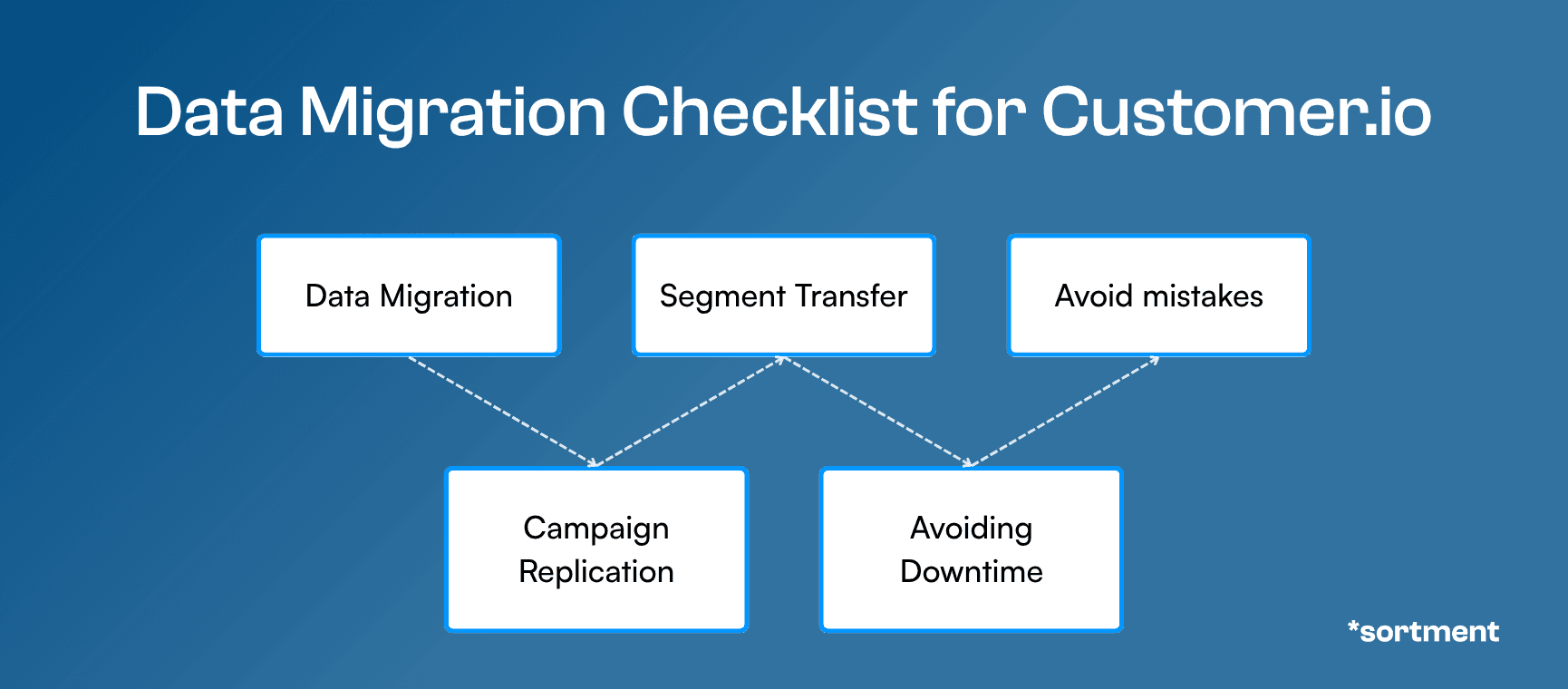
Image: How to migrate from Customer.io in five steps without losing data, campaign logic, or audience segments
Data Migration: Export user profiles, event history, and all custom attributes before making any changes. Customer.io stores behavioral event data alongside contact records — pull both, and verify that your event schemas map cleanly to the new platform's data model before importing.
Campaign Replication: Document every active journey, trigger condition, and message variant before you switch anything. Customer.io's Journeys builder makes the flow visible, but the underlying trigger logic often lives in your codebase. Loop in engineering early to identify what needs to change at the API level on the new platform.
Customer Segmentation Transfer: Rebuild your highest-impact segments first. Customer.io segments typically reference custom event properties and user attributes — confirm your new platform supports the same attribute structure before migration, not after.
Avoiding Downtime: Run both platforms in parallel for at least two weeks before cutting over. Fire events to both systems during the overlap period and compare delivery rates and engagement data to catch gaps before you decommission Customer.io.
Common Migration Mistakes: The most consistent error when leaving Customer.io is underestimating codebase dependency. Triggers that appear to be platform-level logic often require developer changes to fire correctly on a new system. Budget for a migration sprint with engineering involvement, not just a data import handled by the marketing team alone.
Still Not Sure Which Customer.io Alternative Fits You?
The right platform depends less on the feature list and more on how your team operates today. If campaigns require engineering time, if your analytics live in a separate tool you constantly have to reconcile, or if your current setup cannot keep pace with user growth, those are signals worth acting on before the next contract renewal.
A short conversation about your current stack and where it is breaking down is usually enough to identify the right direction.
Frequently Asked Questions About Customer.io Alternatives
What is the closest alternative to Customer.io?
Iterable and Braze are the closest alternatives to Customer.io for teams that need strong event-based messaging and multi-channel journey logic. Sortment is the closest alternative for teams that want proactive opportunity identification and AI-driven campaign execution without the engineering-heavy setup Customer.io requires.
Is Iterable better than Customer.io?
Iterable is better than Customer.io for enterprise teams managing complex, multi-step journeys with large user volumes and dedicated lifecycle resources. Customer.io is a stronger fit for smaller engineering-led teams that prefer precise API control over a simpler platform.
Why do teams switch away from Customer.io?
Teams switch from Customer.io most often because campaigns require too much engineering involvement to build and update, the analytics layer is too thin for meaningful lifecycle decisions, or pricing scales faster than the return the platform delivers as the contact list grows.
How does Sortment compare to Customer.io?
Sortment identifies growth opportunities in your user data and acts on them — surfacing behavioral shifts, recommending campaigns, and monitoring performance continuously. Customer.io executes campaigns you configure manually. Sortment also starts with a 30-day proof of concept tied to one metric you choose, rather than an annual commitment.
Which Customer.io alternative works best for mobile apps?
MoEngage and Sortment are the strongest options for mobile app teams. MoEngage has native mobile SDKs and faster push setup for teams focused primarily on push and in-app. Sortment is the better fit if you also want AI-driven opportunity identification and outcome-based campaign logic across all channels.
Can I migrate from Customer.io without losing data or campaigns?
Yes, with proper preparation. Export user profiles, event history, and active journey logic before switching anything. Running both platforms in parallel for two weeks before full cutover lets you compare delivery and engagement data and catch gaps before decommissioning Customer.io.
Is Customer.io good for non-technical teams?
Customer.io is designed with developers in mind. Non-technical marketers often find they need engineering support for segment updates, new event triggers, and attribute changes. Teams without a technical resource closely involved in lifecycle tend to find platforms like Sortment or MoEngage faster to operate independently.
See also
Sortment vs Mixpanel: Which Platform is Better for Lifecycle Marketing?
Sortment vs Mixpanel: Which Platform is Better for Lifecycle Marketing?
Sortment vs Mixpanel: Which Platform is Better for Lifecycle Marketing?
Compare Sortment vs Mixpanel for lifecycle marketing. Discover differences in analytics, engagement, automation, and retention to choose the right customer engagement platform for your business.
Compare Sortment vs Mixpanel for lifecycle marketing. Discover differences in analytics, engagement, automation, and retention to choose the right customer engagement platform for your business.
See what Sortment can do for your goals.
See what Sortment can do for your goals.
Book a 30-minute call. We'll show you how the pilot works with your data and your stack.
Book a 30-minute call. We'll show you how the pilot works with your data and your stack.
AGENTS
CASE STUDIES
RESOURCES
AGENTS
CASE STUDIES
RESOURCES
Customer.io works well for engineering-led teams that want precise control over event-based messaging. The API-first setup is a genuine advantage when developers are closely involved in growth. That same setup becomes a bottleneck when your marketing team needs to move without an engineering queue.
Three situations tend to push teams toward a Customer.io alternative: marketers need to build and update segments without filing tickets, the analytics inside the platform don't go deep enough for lifecycle decisions, or pricing increases faster than the team's ROI from the platform.
Here are five Customer.io alternatives worth a serious look, compared on execution speed, data capabilities, and fit for different team structures.
What Should You Look for in a Customer.io Alternative?
The right Customer.io alternative depends on where the gap is for your team. These five areas are worth evaluating before committing to a switch.
Image: The five criteria that matter most when evaluating a Customer.io alternative for lifecycle marketing teams
Scalability
As your contact list and event volume grow, your platform should handle more without requiring you to rebuild segment logic or renegotiate pricing on short notice. Some platforms that feel affordable at 50,000 contacts become expensive by 500,000.
Omnichannel Capabilities
Customer.io covers email, SMS, push, and in-app. A good alternative matches that coverage and connects those channels in a single workflow, rather than treating each as a separate send with separate reporting.
Ease of Use
If your team needs to request engineering support to change a trigger condition or add a user attribute, the platform is slowing you down. Look for tools where marketers can make changes directly, without depending on a developer for every iteration.
Analytics Depth
Send rates and open rates tell you what happened. Cohort analysis, behavioral segmentation, and lifecycle stage tracking tell you why. The right alternative should help your team understand both, ideally without a separate analytics tool sitting alongside it.
AI Capabilities
Automation that saves real time looks different from automation that requires configuration time to set up. Evaluate whether the AI in a platform reduces your workload or adds another layer to manage.
What Are the Best Customer.io Alternatives in 2026?
Every platform below executes campaigns and handles lifecycle messaging. The right choice depends on your team size, data infrastructure, and how much of your current stack you want to replace versus extend.
Platform | Best For | What Stands Out | When to Choose |
Sortment | Mobile apps, PLG, subscriptions | Proactive opportunity identification, outcome-based POC | When you want your platform to find revenue, not just send messages |
Iterable | Enterprise lifecycle teams | Cross-channel journeys, deep segmentation | When you need complex multi-step workflows at scale |
Braze | Real-time engagement at scale | Sub-second event triggers, advanced personalization | When user volume demands real-time precision |
MoEngage | Mobile-first B2C teams | Native mobile SDKs, faster onboarding | When mobile push and in-app are primary channels |
OneSignal | Early-stage teams | Simple setup, reliable push delivery | When push is your main channel and budget is tight |
Table: Top Customer.io alternatives compared by use case, execution approach, and when to make the switch
1. Sortment — Built to Find and Execute Growth Opportunities
Customer.io gives your team a capable execution layer. It runs on what you already know to send. Sortment is built around the assumption that the campaigns worth running are often the ones your team hasn't thought to run yet.
When to choose Sortment over Customer.io:
Your team wants the platform to flag behavioral shifts automatically (a cohort dropping off, a conversion flow losing users) and surface which segments to target next, not just execute what you've already decided
You're evaluating with a specific outcome in mind (retention, activation, or conversion) and want to see results in 30 days, not after a year-long rollout
You want both the strategy and the execution built in: the platform tells you what to run, builds the audience, writes the content, and monitors performance. Your team reviews and approves.
What actually stands out:
Sortment identifies growth opportunities and behavioral shifts your team didn't know to look for. A segment ready to upsell, a drop-off that needs a win-back flow, a reactivation window your current setup missed: the platform surfaces these before your team does. It then tells you what to run, builds the audience, writes the content, and monitors performance. Your team reviews and approves.
Best for: Mobile apps, subscription products, and B2C growth teams that want a platform with a strategy brain and an execution arm.
2. Iterable — Best for Complex Cross-Channel Journeys
Iterable is the platform that comes up most often alongside Customer.io when enterprise lifecycle teams start evaluating their options. It handles more journey complexity and scales to larger teams.
When to choose Iterable over Customer.io:
You need multi-step journey logic with conditional branching across email, SMS, push, and in-app
Your team runs frequent A/B experiments at the journey level, not just individual messages
You have a dedicated lifecycle team and the headcount to manage a more complex platform
What actually stands out:
Iterable's journey builder handles conditional logic across channels in a way that Customer.io's simpler workflow model does not. Its segmentation is deeper for teams combining behavioral event data with user attributes at scale. The tradeoff is onboarding time — Iterable typically requires a more involved setup and needs dedicated resources to get full value.
Best for: Enterprise teams with dedicated lifecycle functions and complex, multi-channel user journeys.
3. Braze — Best for Real-Time Personalization at Scale
Braze is built for teams with large user volumes that need real-time event triggers and personalization with minimal latency.
When to choose Braze over Customer.io:
Your campaigns depend on real-time behavioral triggers — cart abandonment, session re-engagement, transactional messages
You manage millions of active users and need enterprise-grade reliability
You have both data and lifecycle teams to operate the platform
What actually stands out:
Braze processes events in real time and fires campaigns with sub-second latency, which matters for high-frequency consumer apps where timing directly affects conversion. Its Canvas flow builder handles sophisticated journey logic. The platform is significantly more expensive than Customer.io and requires more internal infrastructure to run well. Teams comparing their options more broadly can find a detailed breakdown in this comparison of Braze alternatives.
Best for: Enterprises with real-time engagement requirements and the internal resources to match.
4. MoEngage — Best for Mobile-First Omnichannel Teams
MoEngage is built for consumer apps where mobile push and in-app messaging drive most of the engagement, and where faster setup matters more than API flexibility.
When to choose MoEngage over Customer.io:
Mobile push and in-app are your primary engagement channels
You want native mobile SDK support rather than a general API integration
You need faster time-to-first-campaign than Customer.io's configuration-heavy setup allows
What actually stands out:
MoEngage ships native SDKs for iOS and Android that reduce engineering setup time compared to Customer.io. It includes built-in behavioral analytics alongside the messaging layer, so you get user behavior data and campaign execution in one platform without stitching them together. Teams looking at this space more broadly may find the breakdown of MoEngage alternatives useful context before deciding.
Best for: Consumer apps and mobile-first B2C brands that prioritize faster campaign setup and native mobile reach.
5. OneSignal — Best for Push-First Early-Stage Teams
OneSignal is a practical starting point for teams where push notifications are the main channel and simplicity matters more than depth.
When to choose OneSignal over Customer.io:
Push notifications account for most of your user engagement
You need low-cost, fast setup at early scale
You do not yet need complex journey logic or deep segmentation
What actually stands out:
OneSignal delivers reliable push across web and mobile with one of the fastest setup experiences in the market. It is considerably cheaper than Customer.io for teams at early scale. The limits show up quickly: segmentation is basic, analytics are surface-level, and there is no AI layer. Most teams outgrow it when retention becomes a strategic function rather than an occasional push send.
Best for: Early-stage startups and push-focused teams that need to get started fast and cheaply.
Which Customer.io Alternative Is Best for Your Use Case?
Matching the platform to how your team actually operates is more reliable than comparing feature lists side by side. If you're evaluating options for a streaming or subscription product, our lifecycle marketing guide for streaming platforms covers the specific campaigns and data infrastructure that determine whether your tool choice pays off.
Sortment fits teams that want their platform to identify what to work on next, not just execute what they've already decided. If you want to tie your evaluation to a specific metric and see movement in 30 days, that is the model Sortment is built around.
Iterable fits enterprise teams with complex, multi-step journeys. If you have a dedicated lifecycle team and need deep A/B testing and conditional journey logic across channels, it is the more complete platform.
Braze fits teams where real-time event processing is non-negotiable. Large user volumes, sub-second triggers, dedicated data teams — that is the profile Braze is built for. The cost reflects it.
MoEngage fits mobile-first consumer apps that want faster native mobile setup and tighter integration between analytics and messaging than Customer.io offers.
OneSignal fits early-stage teams where push is the primary channel and budget is a constraint. Plan to revisit the decision when lifecycle complexity increases.
How to Migrate from Customer.io Without Losing Data or Campaigns?
Moving off Customer.io requires more planning than a standard data export. Its event-based architecture means your triggers and segment logic are tightly coupled to your codebase. That takes more care to replicate than switching between simpler email tools.
Image: How to migrate from Customer.io in five steps without losing data, campaign logic, or audience segments
Data Migration: Export user profiles, event history, and all custom attributes before making any changes. Customer.io stores behavioral event data alongside contact records — pull both, and verify that your event schemas map cleanly to the new platform's data model before importing.
Campaign Replication: Document every active journey, trigger condition, and message variant before you switch anything. Customer.io's Journeys builder makes the flow visible, but the underlying trigger logic often lives in your codebase. Loop in engineering early to identify what needs to change at the API level on the new platform.
Customer Segmentation Transfer: Rebuild your highest-impact segments first. Customer.io segments typically reference custom event properties and user attributes — confirm your new platform supports the same attribute structure before migration, not after.
Avoiding Downtime: Run both platforms in parallel for at least two weeks before cutting over. Fire events to both systems during the overlap period and compare delivery rates and engagement data to catch gaps before you decommission Customer.io.
Common Migration Mistakes: The most consistent error when leaving Customer.io is underestimating codebase dependency. Triggers that appear to be platform-level logic often require developer changes to fire correctly on a new system. Budget for a migration sprint with engineering involvement, not just a data import handled by the marketing team alone.
Still Not Sure Which Customer.io Alternative Fits You?
The right platform depends less on the feature list and more on how your team operates today. If campaigns require engineering time, if your analytics live in a separate tool you constantly have to reconcile, or if your current setup cannot keep pace with user growth, those are signals worth acting on before the next contract renewal.
A short conversation about your current stack and where it is breaking down is usually enough to identify the right direction.
Frequently Asked Questions About Customer.io Alternatives
What is the closest alternative to Customer.io?
Iterable and Braze are the closest alternatives to Customer.io for teams that need strong event-based messaging and multi-channel journey logic. Sortment is the closest alternative for teams that want proactive opportunity identification and AI-driven campaign execution without the engineering-heavy setup Customer.io requires.
Is Iterable better than Customer.io?
Iterable is better than Customer.io for enterprise teams managing complex, multi-step journeys with large user volumes and dedicated lifecycle resources. Customer.io is a stronger fit for smaller engineering-led teams that prefer precise API control over a simpler platform.
Why do teams switch away from Customer.io?
Teams switch from Customer.io most often because campaigns require too much engineering involvement to build and update, the analytics layer is too thin for meaningful lifecycle decisions, or pricing scales faster than the return the platform delivers as the contact list grows.
How does Sortment compare to Customer.io?
Sortment identifies growth opportunities in your user data and acts on them — surfacing behavioral shifts, recommending campaigns, and monitoring performance continuously. Customer.io executes campaigns you configure manually. Sortment also starts with a 30-day proof of concept tied to one metric you choose, rather than an annual commitment.
Which Customer.io alternative works best for mobile apps?
MoEngage and Sortment are the strongest options for mobile app teams. MoEngage has native mobile SDKs and faster push setup for teams focused primarily on push and in-app. Sortment is the better fit if you also want AI-driven opportunity identification and outcome-based campaign logic across all channels.
Can I migrate from Customer.io without losing data or campaigns?
Yes, with proper preparation. Export user profiles, event history, and active journey logic before switching anything. Running both platforms in parallel for two weeks before full cutover lets you compare delivery and engagement data and catch gaps before decommissioning Customer.io.
Is Customer.io good for non-technical teams?
Customer.io is designed with developers in mind. Non-technical marketers often find they need engineering support for segment updates, new event triggers, and attribute changes. Teams without a technical resource closely involved in lifecycle tend to find platforms like Sortment or MoEngage faster to operate independently.