7 Best Mixpanel Alternatives for Product Analytics (2026)
Mixpanel alternatives compared on analytics depth, pricing, autocapture, and the ability to act on data. Find the right tool for your team.
Abhimanyu
·
Blogs
·

Most teams searching for Mixpanel alternatives have hit one of three walls. Cost is usually the first: event-based billing that starts low and climbs once traffic grows, instrumentation gets messy, or a data warehouse dumps historical events into the same billing plan. The second wall is scope: Mixpanel is product analytics, and the team now wants guides, experiments, replay, or something that turns what the charts show into campaigns. The third is implementation: keeping a clean event taxonomy is ongoing engineering work, and some teams want autocapture to reduce that dependency.
This guide covers seven alternatives. Some replace Mixpanel directly on analytics depth. Some add activation and adoption on top of behavioral data. One reframes the question: instead of replacing your analytics tool, it adds the execution layer your analytics tool was never designed to be.
What Should You Look for in a Mixpanel Alternative?
Five criteria separate a Mixpanel alternative that solves your actual problem from one that trades one set of frustrations for another.
Scalability
Mixpanel's event-based pricing starts accessible and compounds fast. The alternative should price predictably as usage grows: MAU-based, session-based, or flat-rate with transparent event limits. Pay particular attention to how billing works when traffic spikes or when you import historical data. That is where surprises tend to land.
Omnichannel Capabilities
Product analytics tools vary in what data surfaces they cover. Web and mobile SDKs are table stakes, but some tools also handle server-side events, offline sync, and multi-device identity resolution better than others. If your product spans web, mobile, and backend events, the alternative should cover all three without requiring separate vendors to fill the gaps.





Ease of Use
Mixpanel's tracking plan requires ongoing instrumentation discipline. Events go stale, naming conventions drift, and teams end up with hundreds of properties nobody trusts. A meaningful alternative either reduces that burden through autocapture, offers natural language querying that bypasses the need to know the schema, or keeps instrumentation clean enough that it does not become a recurring maintenance problem. Ease of use here means your team can answer questions without filing a request to data engineering.
Analytics Depth
Mixpanel is strong on funnels, retention, and cohort analysis. Any alternative being considered as a direct replacement should at minimum match those. The question is whether depth comes at the cost of breadth: Amplitude goes wider, Heap and Fullstory add qualitative context, Pendo adds in-app activation. Know which dimension matters more before evaluating.
AI Capabilities
AI features in analytics fall into two categories. Surface-level AI helps with query writing and chart summarization. Functional AI identifies anomalies before anyone asks, surfaces segments that are underperforming, and recommends what to do next. Mixpanel's current AI sits mostly in the first category. If the goal is an alternative that acts on data rather than just reporting on it, the second category is what matters.
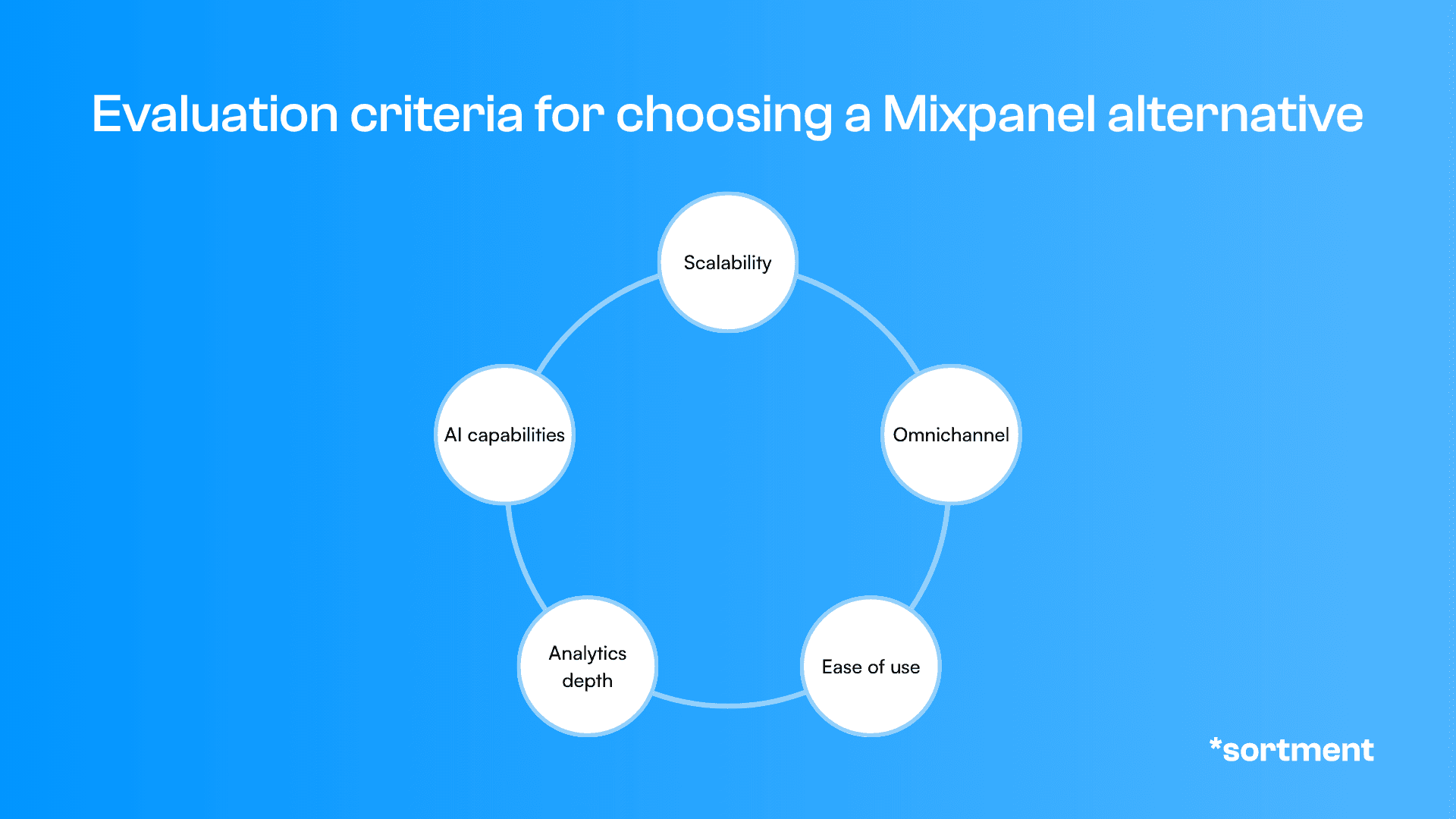
Figure: Evaluation criteria for choosing a Mixpanel alternative
What Are the Best Mixpanel Alternatives in 2026?
These seven platforms each address a different version of the problem that drives teams away from Mixpanel. The comparison table shows where each one fits.
Platform | Best For | What Stands Out | When to Choose |
Sortment | Teams that want to act on behavioral data, not just analyze it | Connects to your warehouse or existing analytics tools and adds AI-driven lifecycle execution | You have data showing what's wrong and need a platform that does something about it |
Amplitude | Teams that want analytics depth plus experimentation and AI breadth | Guides, surveys, AI agents, and experiments alongside core product analytics | You want Mixpanel-level depth with a broader platform around it |
PostHog | Engineering-led teams that want an open-source product OS | Analytics, replay, flags, experiments, surveys, warehouse, and workflows in one platform | You're technical, cost-sensitive, or need self-hosting |
Heap (Contentsquare) | Teams with instrumentation blind spots | Autocapture everything; define events retroactively when needed | Missing events are a recurring problem and you want less engineering dependency |
Pendo | Teams that need adoption and in-app activation alongside analytics | In-app guides, feedback, and orchestration built into the same platform as analytics | You can see the problem in the data but need a native way to fix it in-product |
Fullstory | Teams diagnosing UX friction and conversion blockers | Session replay and behavioral intelligence layered over product data | You need to see what users actually do, not just aggregate event counts |
Countly | Teams with privacy, compliance, or self-hosting requirements | First-party analytics with data sovereignty and native engagement tools | Legal or security constraints rule out standard third-party SaaS analytics |
1. Sortment
Sortment is an AI-native lifecycle marketing platform, not a direct analytics replacement for Mixpanel. That distinction matters. The teams that get the most from it already have product data showing what is happening and need a platform that acts on it.
When to choose Sortment over Mixpanel:
Your analytics show which cohorts are churning or failing to activate, but the team cannot turn those insights into campaigns fast enough
You want to connect behavioral data directly to lifecycle execution across email, push, in-app, SMS, and WhatsApp without adding a tool that does not share context with your analytics
You want a 30-day proof of concept tied to one outcome before signing a year-long contract
What actually stands out:
Sortment connects directly to your data warehouse (BigQuery, Snowflake, Redshift) or to existing analytics tools via MCP, including Mixpanel and Segment, before a full warehouse migration is needed. Strategy AI identifies behavioral shifts and surfaces opportunities the team was not monitoring. Content AI writes campaign copy. Analyst AI sets up and runs campaigns, monitors performance, and flags anomalies automatically. Teams working this way run the volume and analytical complexity of a much larger lifecycle function without proportional headcount. Entry is through a 30-day proof of concept tied to one metric the customer defines.
Best for: Subscription products, mobile apps, and PLG teams that have data showing what is wrong and need a platform that fixes it.
“We plugged in Sortment and by the end of the day, every customer touchpoint was together. Sortment’s AI surfaced churn-prone users so we could act before they left.”
Divyeshwari Singh, PMM, Shopflo
“We plugged in Sortment and by the end of the day, every customer touchpoint was together. Sortment’s AI surfaced churn-prone users so we could act before they left.”
Divyeshwari Singh, PMM, Shopflo
“We plugged in Sortment and by the end of the day, every customer touchpoint was together. Sortment’s AI surfaced churn-prone users so we could act before they left.”
Divyeshwari Singh, PMM, Shopflo
2. Amplitude
Amplitude is the closest like-for-like alternative to Mixpanel for teams that still want analytics at the center but want more around it. The platform now covers product analytics, session replay, experiments, feature flags, in-app guides, surveys, and AI agents.
When to choose Amplitude over Mixpanel:
You need experimentation and in-app guidance in the same platform as core analytics, not bolted on from a separate vendor
Your team has analytics maturity and wants AI that investigates anomalies and designs experiments, not just surfaces charts faster
What actually stands out:
Amplitude's free plan includes 2 million events per month, session replay, A/B tests, feature flags, and AI analytics with unlimited seats. The 2025 launch of Guides and Surveys and the rollout of Amplitude AI Agents moved the platform from pure analytics into a broader product suite. For teams evaluating on raw analytics depth, Amplitude covers Mixpanel's funnel and cohort capabilities and extends further. The trade-off is complexity: reviews consistently flag a steeper learning curve and heavier dashboard management at scale. G2: 4.5/5 across 3,779 reviews.
Best for: Product and growth teams that want analytics depth plus experimentation and AI-driven investigation in one platform.
3. PostHog
PostHog is an engineering-led product OS covering analytics, session replay, feature flags, experiments, surveys, workflows, and warehouse functionality with transparent usage-based pricing and a genuine open-source option.
When to choose PostHog over Mixpanel:
Your team is technical, wants self-hosting or strong data ownership, and would otherwise need multiple vendors for your stack
You want transparent per-event pricing without negotiating with a sales team
What actually stands out:
PostHog's free tier includes 1 million events, 5,000 session replay recordings, 1 million feature flag requests, surveys, and warehouse rows. Paid usage starts at $0.00005 per event for anonymous events. The 2025-2026 releases moved PostHog from open-source analytics to a broader self-driving product platform, with Workflows going GA and tighter integrations between product context and development tooling. For teams that would otherwise assemble a multi-vendor stack, the economics and reduced vendor count are the headline case. The trade-off is that PostHog remains engineering-heavy and can overwhelm less technical teams. G2: 4.5/5 across 1,052 reviews.
Best for: Engineering-led startups and scale-ups that want broad product infrastructure without SaaS sprawl.
4. Heap (Contentsquare)
Heap's core proposition is autocapture: install one snippet, capture every interaction, define events retroactively when you need them. It is the most direct answer when the main problem with Mixpanel is instrumentation gaps and missing events.
When to choose Heap over Mixpanel:
Users are dropping off at steps you did not think to track, and retroactive analysis is not possible in your current setup
You want session replay and broader experience intelligence folded into the same platform as product analytics
What actually stands out:
Heap captures everything by default and lets you define events and funnels after the fact. Blind spots become the exception rather than the rule. Since Contentsquare's acquisition, Heap's capabilities are increasingly integrated into a broader experience intelligence platform adding heatmaps, qualitative session data, and cross-device behavioral views. The free tier supports up to 10,000 monthly sessions. Paid plans run around $24,000/year based on Capterra data, which makes this a more significant investment than Mixpanel or PostHog. Common negatives: event sprawl as autocapture datasets grow, and a sales-led motion at scale. Capterra: 4.5/5 based on verified reviews.
Best for: Product and UX teams where incomplete instrumentation is the primary pain and retroactive analysis would save significant engineering time.
5. Pendo
Pendo is an AI-powered analytics and adoption platform. The distinction from pure analytics tools is intentional: Pendo's story centers on understanding users and then changing their behavior in-product through guides, feedback tools, orchestration, and surveys.
When to choose Pendo over Mixpanel:
You can see which features users are not adopting or where onboarding breaks down, and you need a native way to intervene with guides or in-app messaging rather than a separate tool
Customer success and product teams both need access to usage data and the ability to act on it without relying on an analytics specialist
What actually stands out:
Pendo's free tier supports up to 500 monthly active users and includes product analytics, in-app guides, roadmaps, and NPS surveys. Paid plans are custom-priced. The 2025 push into Software Experience Management and Pendo Agents extended the platform toward broader IT and digital adoption beyond the PM core. For teams whose job is adoption rather than measurement alone, Pendo handles both sides in ways Mixpanel does not attempt. Trade-offs include manual tagging friction on parts of the product and heavier packaging for enterprise buyers. G2: 4.4/5 across 1,808 reviews.
Best for: Product and customer success teams that need analytics and in-product activation together, especially for onboarding and feature adoption workflows.
6. Fullstory
Fullstory is a behavioral data platform. Its main strength is qualitative visibility: session replay, friction analysis, and behavioral intelligence that shows what users actually do rather than what aggregated event counts suggest.
When to choose Fullstory over Mixpanel:
Your team needs to watch what users do at a session level when diagnosing conversion problems, rage clicks, or support escalations
You want behavioral data that can stream into downstream tools like Salesforce or Intercom to give sales and support context on user behavior
What actually stands out:
Fullstory's Fullcapture approach automatically collects session data, making replay retroactive without pre-instrumented recording logic. The 2025 shift to Fullstory Anywhere expanded the platform beyond replay into a behavioral data layer that activates insights into CRM and support tooling. StoryAI agents for proactive monitoring and diagnosis moved Fullstory further toward the action side of the analytics gap. Pricing is not publicly listed; the commercial motion is sales-led. G2: 4.5/5 across 1,051 reviews. Common negatives: implementation overhead, cost concerns, and a perception among some buyers that it is replay-first rather than a primary analytics system.
Best for: Digital and UX teams at customer-centric companies that need qualitative behavioral context alongside product metrics.
Not sure which platform fits your stack?
Not sure which platform fits your stack?
Not sure which platform fits your stack?
7. Countly
Countly is a first-party digital analytics and customer engagement platform. Its differentiator is data sovereignty: the platform runs on your infrastructure, in a private cloud, or as a managed service, and it includes engagement tools alongside analytics in one self-hostable stack.
When to choose Countly over Mixpanel:
Legal, compliance, or security requirements rule out standard third-party SaaS analytics (finance, healthcare, government, connected devices)
You want analytics and basic engagement tooling in one self-hostable platform without stitching together separate vendors
What actually stands out:
Countly's Flex private-cloud plan starts at $175/month, including advanced analytics. Enterprise self-hosted is custom-priced. The March 2025 launch of Journeys and the late 2025 release of a rebuilt AI-ready data engine moved Countly beyond raw analytics into orchestrated user experiences. For teams with privacy constraints, data stays in your environment and GDPR compliance is a first-class feature, not an afterthought. Capterra: 4.6/5 across 19 reviews. Review themes emphasize self-hosting value and real-time analytics. Common negatives: smaller community than category leaders and dashboard polish that does not always match the larger SaaS tools.
Best for: Privacy-sensitive organizations in regulated industries that need analytics with data sovereignty and light engagement tools built in.
Which Mixpanel Alternative Is Best for Your Use Case?
The right alternative depends on which problem is actually driving the search.
If cost is the issue and you want to stay in product analytics, PostHog's transparent per-event pricing and generous free tier are hard to argue with at volume. Amplitude's free tier covers 2 million events with replay and experimentation included, which buys more runway before costs hit than Mixpanel's Growth tier for most teams.
From manual campaign building to lifecycle velocity
Sortment AI helped Shopflo's team test, launch, and iterate on retention and upsell campaigns, without production delays or additional hires.
22%
Reduction in customer churn
18%
Growth in NRR
1 day
to first campaign
From manual campaign building to lifecycle velocity
Sortment AI helped Shopflo's team test, launch, and iterate on retention and upsell campaigns, without production delays or additional hires.
22%
Reduction in customer churn
18%
Growth in NRR
1 day
to first campaign
From manual campaign building to lifecycle velocity
Sortment AI helped Shopflo's team test, launch, and iterate on retention and upsell campaigns, without production delays or additional hires.
22%
Reduction in customer churn
18%
Growth in NRR
1 day
to first campaign
If you need analytics plus experimentation, in-app guidance, or activation, the choice is between Amplitude (analytics-first, with guides and experiments added), Pendo (adoption-first, with analytics underneath), and PostHog (engineering-first, with the broadest platform). Which center of gravity fits your team matters more than the feature list.
If the problem is instrumentation overhead or qualitative blind spots, Heap handles the retroactive analysis gap and Fullstory handles the qualitative context gap. Both solve problems Mixpanel does not attempt to address.
If your team already has product data and the gap is acting on it, Sortment fits differently from everything else on this list. For more on how that plays out specifically, see our Sortment vs Mixpanel breakdown.
How to Migrate from Mixpanel Without Losing Data or Campaigns
Mixpanel migrations are generally cleaner than CRM-platform migrations because Mixpanel is not embedded in sales workflows, billing pipelines, or cross-team handoff processes. But there are specific things to handle before deactivating the account.
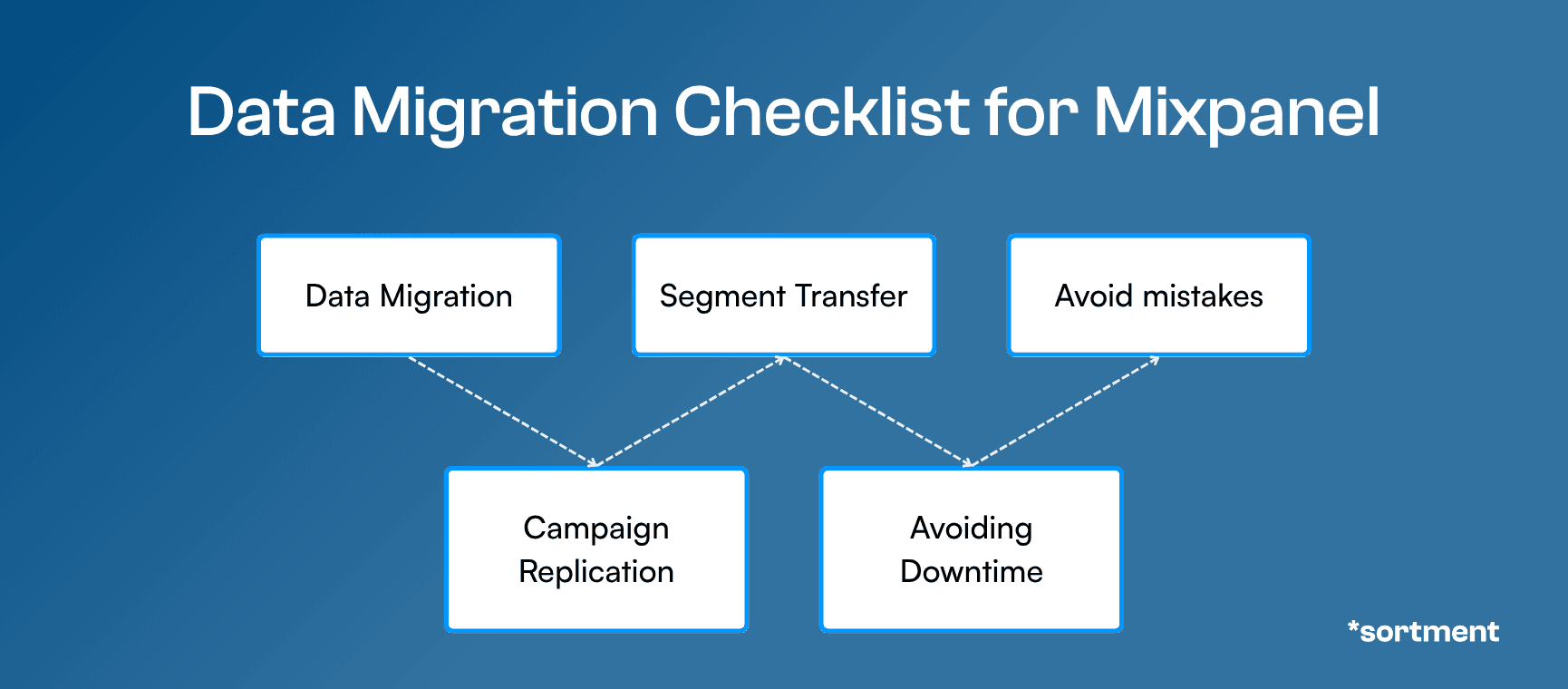
Figure: Data migration checklist for Mixpanel
Data Migration. Export your event schema, user profiles, and any historical data you will need before deactivating. Mixpanel allows data export via its Data Export API. Historical events may not import cleanly into all alternatives because event naming conventions, property structures, and identity resolution models differ by platform. Map your existing event taxonomy to the new tool's schema before beginning the migration, and confirm how historical data will be handled in the destination platform.
Campaign Replication. If you use Mixpanel's messaging features alongside analytics, document every active campaign flow before switching. For teams using Mixpanel purely for analytics, this step applies to any downstream integrations or alerts triggered by Mixpanel data. Those need to be rebuilt in the new platform before the old one is deactivated.
Customer Segmentation Transfer. Export your active cohorts and segment definitions. Mixpanel cohorts use event-based filters that may not translate directly to the data model of the new platform. Rebuild cohorts in the destination tool and test them against expected counts from your Mixpanel exports before going live.
Avoiding Downtime. Run both platforms in parallel for at least two weeks after the new SDK is deployed. This lets you validate that events are firing correctly in the new system before decommissioning Mixpanel tracking. Gaps in instrumentation are much easier to catch during parallel operation than after you have already turned off the original.
Common Migration Mistakes. The most common Mixpanel migration mistake is assuming event names will work unchanged in the new platform. Most alternatives have stricter property name requirements, different identity resolution models (especially around anonymous-to-identified user stitching), or different limits on event properties. Audit those differences before writing the new SDK implementation.
Still Not Sure Which Mixpanel Alternative Fits You?
Most platforms on this list have free tiers that let you test with real data before committing. If the gap you are trying to close is not better charts but better execution on the data you already have, Sortment runs a 30-day proof of concept tied to one outcome metric your team defines. Book a call to see how it compares to what you are currently doing with your product analytics data.
See what Sortment can do for your brand
A one-pager covering your industry's playbooks, potential outcomes and pilot plan. No sales call required.
See what Sortment can do for your brand
A one-pager covering your industry's playbooks, potential outcomes and pilot plan. No sales call required.
See what Sortment can do for your brand
A one-pager covering your industry's playbooks, potential outcomes and pilot plan. No sales call required.
Frequently Asked Questions About Mixpanel Alternatives
Why do teams switch from Mixpanel?
The most common reasons are cost scaling as event volume grows, implementation overhead from maintaining a clean event taxonomy, and wanting more than analytics. Teams that stay with Mixpanel usually need strong funnel and cohort analysis. Teams that leave often want autocapture (Heap), in-app activation (Pendo), session replay (Fullstory), a broader developer platform (PostHog), or the ability to act on behavioral data through lifecycle campaigns (Sortment).
Is Amplitude a better alternative to Mixpanel?
Amplitude is the closest like-for-like replacement for product teams that still want analytics at the center. It covers Mixpanel's core funnel and cohort capabilities and adds experimentation, in-app guides, session replay, and AI agents. The trade-off is a steeper learning curve and less transparent pricing at scale. For most teams evaluating both, the decision comes down to whether the additional breadth justifies the additional complexity.
What is the cheapest Mixpanel alternative?
PostHog is the most cost-transparent option, with 1 million free events per month and usage-based pricing starting at $0.00005 per anonymous event after that. Amplitude's free tier includes 2 million events with replay and experimentation. For teams with privacy or self-hosting requirements, Countly's Flex plan starts at $175/month.
Does Mixpanel support session replay?
Mixpanel added session replay to its Growth plan in 2025, starting with 20,000 free monthly recordings. Teams that specifically need replay-first or qualitative behavioral analysis at depth should still evaluate Fullstory and Heap, both of which have more mature replay and autocapture capabilities than Mixpanel's current implementation.
What is the difference between Mixpanel and a lifecycle marketing platform?
Mixpanel is product analytics: it tells you what users do, where they drop off, which features they use, and how cohorts behave. A lifecycle marketing platform like Sortment takes that behavioral data and acts on it: building audiences, running campaigns, and monitoring results. The two tools solve adjacent problems, and some teams run both. For a detailed comparison, see our Sortment vs Mixpanel breakdown.
Can PostHog replace Mixpanel?
PostHog covers Mixpanel's core product analytics and extends further with feature flags, experiments, surveys, session replay, and a warehouse-native data layer. For technical teams, it is a genuine full replacement. For less technical teams or organizations that value UI polish and enterprise support, Mixpanel or Amplitude may be a better fit. PostHog's strongest case is platform breadth at a price point materially lower than most enterprise alternatives.
How does Sortment fit into a Mixpanel stack?
Sortment connects to Mixpanel as a data source via MCP integration, so teams do not need to replace their analytics stack to get lifecycle execution. The typical motion is to keep Mixpanel for product analytics, connect Sortment to behavioral data, and let Sortment handle audience building, campaign creation, and retention execution. The two tools do different jobs and work better together than either does alone for teams that need both insight and action.
See also
Sortment vs Mixpanel: Which Platform is Better for Lifecycle Marketing?
Sortment vs Mixpanel: Which Platform is Better for Lifecycle Marketing?
Sortment vs Mixpanel: Which Platform is Better for Lifecycle Marketing?
Compare Sortment vs Mixpanel for lifecycle marketing. Discover differences in analytics, engagement, automation, and retention to choose the right customer engagement platform for your business.
Compare Sortment vs Mixpanel for lifecycle marketing. Discover differences in analytics, engagement, automation, and retention to choose the right customer engagement platform for your business.
See what Sortment can do for your goals.
See what Sortment can do for your goals.
Book a 30-minute call. We'll show you how the pilot works with your data and your stack.
Book a 30-minute call. We'll show you how the pilot works with your data and your stack.
AGENTS
CASE STUDIES
RESOURCES
AGENTS
CASE STUDIES
RESOURCES
Most teams searching for Mixpanel alternatives have hit one of three walls. Cost is usually the first: event-based billing that starts low and climbs once traffic grows, instrumentation gets messy, or a data warehouse dumps historical events into the same billing plan. The second wall is scope: Mixpanel is product analytics, and the team now wants guides, experiments, replay, or something that turns what the charts show into campaigns. The third is implementation: keeping a clean event taxonomy is ongoing engineering work, and some teams want autocapture to reduce that dependency.
This guide covers seven alternatives. Some replace Mixpanel directly on analytics depth. Some add activation and adoption on top of behavioral data. One reframes the question: instead of replacing your analytics tool, it adds the execution layer your analytics tool was never designed to be.
What Should You Look for in a Mixpanel Alternative?
Five criteria separate a Mixpanel alternative that solves your actual problem from one that trades one set of frustrations for another.
Scalability
Mixpanel's event-based pricing starts accessible and compounds fast. The alternative should price predictably as usage grows: MAU-based, session-based, or flat-rate with transparent event limits. Pay particular attention to how billing works when traffic spikes or when you import historical data. That is where surprises tend to land.
Omnichannel Capabilities
Product analytics tools vary in what data surfaces they cover. Web and mobile SDKs are table stakes, but some tools also handle server-side events, offline sync, and multi-device identity resolution better than others. If your product spans web, mobile, and backend events, the alternative should cover all three without requiring separate vendors to fill the gaps.
Ease of Use
Mixpanel's tracking plan requires ongoing instrumentation discipline. Events go stale, naming conventions drift, and teams end up with hundreds of properties nobody trusts. A meaningful alternative either reduces that burden through autocapture, offers natural language querying that bypasses the need to know the schema, or keeps instrumentation clean enough that it does not become a recurring maintenance problem. Ease of use here means your team can answer questions without filing a request to data engineering.
Analytics Depth
Mixpanel is strong on funnels, retention, and cohort analysis. Any alternative being considered as a direct replacement should at minimum match those. The question is whether depth comes at the cost of breadth: Amplitude goes wider, Heap and Fullstory add qualitative context, Pendo adds in-app activation. Know which dimension matters more before evaluating.
AI Capabilities
AI features in analytics fall into two categories. Surface-level AI helps with query writing and chart summarization. Functional AI identifies anomalies before anyone asks, surfaces segments that are underperforming, and recommends what to do next. Mixpanel's current AI sits mostly in the first category. If the goal is an alternative that acts on data rather than just reporting on it, the second category is what matters.
Figure: Evaluation criteria for choosing a Mixpanel alternative
What Are the Best Mixpanel Alternatives in 2026?
These seven platforms each address a different version of the problem that drives teams away from Mixpanel. The comparison table shows where each one fits.
Platform | Best For | What Stands Out | When to Choose |
Sortment | Teams that want to act on behavioral data, not just analyze it | Connects to your warehouse or existing analytics tools and adds AI-driven lifecycle execution | You have data showing what's wrong and need a platform that does something about it |
Amplitude | Teams that want analytics depth plus experimentation and AI breadth | Guides, surveys, AI agents, and experiments alongside core product analytics | You want Mixpanel-level depth with a broader platform around it |
PostHog | Engineering-led teams that want an open-source product OS | Analytics, replay, flags, experiments, surveys, warehouse, and workflows in one platform | You're technical, cost-sensitive, or need self-hosting |
Heap (Contentsquare) | Teams with instrumentation blind spots | Autocapture everything; define events retroactively when needed | Missing events are a recurring problem and you want less engineering dependency |
Pendo | Teams that need adoption and in-app activation alongside analytics | In-app guides, feedback, and orchestration built into the same platform as analytics | You can see the problem in the data but need a native way to fix it in-product |
Fullstory | Teams diagnosing UX friction and conversion blockers | Session replay and behavioral intelligence layered over product data | You need to see what users actually do, not just aggregate event counts |
Countly | Teams with privacy, compliance, or self-hosting requirements | First-party analytics with data sovereignty and native engagement tools | Legal or security constraints rule out standard third-party SaaS analytics |
1. Sortment
Sortment is an AI-native lifecycle marketing platform, not a direct analytics replacement for Mixpanel. That distinction matters. The teams that get the most from it already have product data showing what is happening and need a platform that acts on it.
When to choose Sortment over Mixpanel:
Your analytics show which cohorts are churning or failing to activate, but the team cannot turn those insights into campaigns fast enough
You want to connect behavioral data directly to lifecycle execution across email, push, in-app, SMS, and WhatsApp without adding a tool that does not share context with your analytics
You want a 30-day proof of concept tied to one outcome before signing a year-long contract
What actually stands out:
Sortment connects directly to your data warehouse (BigQuery, Snowflake, Redshift) or to existing analytics tools via MCP, including Mixpanel and Segment, before a full warehouse migration is needed. Strategy AI identifies behavioral shifts and surfaces opportunities the team was not monitoring. Content AI writes campaign copy. Analyst AI sets up and runs campaigns, monitors performance, and flags anomalies automatically. Teams working this way run the volume and analytical complexity of a much larger lifecycle function without proportional headcount. Entry is through a 30-day proof of concept tied to one metric the customer defines.
Best for: Subscription products, mobile apps, and PLG teams that have data showing what is wrong and need a platform that fixes it.
“We plugged in Sortment and by the end of the day, every customer touchpoint was together. Sortment’s AI surfaced churn-prone users so we could act before they left.”
Divyeshwari Singh, PMM, Shopflo
“We plugged in Sortment and by the end of the day, every customer touchpoint was together. Sortment’s AI surfaced churn-prone users so we could act before they left.”
Divyeshwari Singh, PMM, Shopflo
“We plugged in Sortment and by the end of the day, every customer touchpoint was together. Sortment’s AI surfaced churn-prone users so we could act before they left.”
Divyeshwari Singh, PMM, Shopflo
2. Amplitude
Amplitude is the closest like-for-like alternative to Mixpanel for teams that still want analytics at the center but want more around it. The platform now covers product analytics, session replay, experiments, feature flags, in-app guides, surveys, and AI agents.
When to choose Amplitude over Mixpanel:
You need experimentation and in-app guidance in the same platform as core analytics, not bolted on from a separate vendor
Your team has analytics maturity and wants AI that investigates anomalies and designs experiments, not just surfaces charts faster
What actually stands out:
Amplitude's free plan includes 2 million events per month, session replay, A/B tests, feature flags, and AI analytics with unlimited seats. The 2025 launch of Guides and Surveys and the rollout of Amplitude AI Agents moved the platform from pure analytics into a broader product suite. For teams evaluating on raw analytics depth, Amplitude covers Mixpanel's funnel and cohort capabilities and extends further. The trade-off is complexity: reviews consistently flag a steeper learning curve and heavier dashboard management at scale. G2: 4.5/5 across 3,779 reviews.
Best for: Product and growth teams that want analytics depth plus experimentation and AI-driven investigation in one platform.
3. PostHog
PostHog is an engineering-led product OS covering analytics, session replay, feature flags, experiments, surveys, workflows, and warehouse functionality with transparent usage-based pricing and a genuine open-source option.
When to choose PostHog over Mixpanel:
Your team is technical, wants self-hosting or strong data ownership, and would otherwise need multiple vendors for your stack
You want transparent per-event pricing without negotiating with a sales team
What actually stands out:
PostHog's free tier includes 1 million events, 5,000 session replay recordings, 1 million feature flag requests, surveys, and warehouse rows. Paid usage starts at $0.00005 per event for anonymous events. The 2025-2026 releases moved PostHog from open-source analytics to a broader self-driving product platform, with Workflows going GA and tighter integrations between product context and development tooling. For teams that would otherwise assemble a multi-vendor stack, the economics and reduced vendor count are the headline case. The trade-off is that PostHog remains engineering-heavy and can overwhelm less technical teams. G2: 4.5/5 across 1,052 reviews.
Best for: Engineering-led startups and scale-ups that want broad product infrastructure without SaaS sprawl.
4. Heap (Contentsquare)
Heap's core proposition is autocapture: install one snippet, capture every interaction, define events retroactively when you need them. It is the most direct answer when the main problem with Mixpanel is instrumentation gaps and missing events.
When to choose Heap over Mixpanel:
Users are dropping off at steps you did not think to track, and retroactive analysis is not possible in your current setup
You want session replay and broader experience intelligence folded into the same platform as product analytics
What actually stands out:
Heap captures everything by default and lets you define events and funnels after the fact. Blind spots become the exception rather than the rule. Since Contentsquare's acquisition, Heap's capabilities are increasingly integrated into a broader experience intelligence platform adding heatmaps, qualitative session data, and cross-device behavioral views. The free tier supports up to 10,000 monthly sessions. Paid plans run around $24,000/year based on Capterra data, which makes this a more significant investment than Mixpanel or PostHog. Common negatives: event sprawl as autocapture datasets grow, and a sales-led motion at scale. Capterra: 4.5/5 based on verified reviews.
Best for: Product and UX teams where incomplete instrumentation is the primary pain and retroactive analysis would save significant engineering time.
5. Pendo
Pendo is an AI-powered analytics and adoption platform. The distinction from pure analytics tools is intentional: Pendo's story centers on understanding users and then changing their behavior in-product through guides, feedback tools, orchestration, and surveys.
When to choose Pendo over Mixpanel:
You can see which features users are not adopting or where onboarding breaks down, and you need a native way to intervene with guides or in-app messaging rather than a separate tool
Customer success and product teams both need access to usage data and the ability to act on it without relying on an analytics specialist
What actually stands out:
Pendo's free tier supports up to 500 monthly active users and includes product analytics, in-app guides, roadmaps, and NPS surveys. Paid plans are custom-priced. The 2025 push into Software Experience Management and Pendo Agents extended the platform toward broader IT and digital adoption beyond the PM core. For teams whose job is adoption rather than measurement alone, Pendo handles both sides in ways Mixpanel does not attempt. Trade-offs include manual tagging friction on parts of the product and heavier packaging for enterprise buyers. G2: 4.4/5 across 1,808 reviews.
Best for: Product and customer success teams that need analytics and in-product activation together, especially for onboarding and feature adoption workflows.
6. Fullstory
Fullstory is a behavioral data platform. Its main strength is qualitative visibility: session replay, friction analysis, and behavioral intelligence that shows what users actually do rather than what aggregated event counts suggest.
When to choose Fullstory over Mixpanel:
Your team needs to watch what users do at a session level when diagnosing conversion problems, rage clicks, or support escalations
You want behavioral data that can stream into downstream tools like Salesforce or Intercom to give sales and support context on user behavior
What actually stands out:
Fullstory's Fullcapture approach automatically collects session data, making replay retroactive without pre-instrumented recording logic. The 2025 shift to Fullstory Anywhere expanded the platform beyond replay into a behavioral data layer that activates insights into CRM and support tooling. StoryAI agents for proactive monitoring and diagnosis moved Fullstory further toward the action side of the analytics gap. Pricing is not publicly listed; the commercial motion is sales-led. G2: 4.5/5 across 1,051 reviews. Common negatives: implementation overhead, cost concerns, and a perception among some buyers that it is replay-first rather than a primary analytics system.
Best for: Digital and UX teams at customer-centric companies that need qualitative behavioral context alongside product metrics.
Not sure which platform fits your stack?
Not sure which platform fits your stack?
Not sure which platform fits your stack?
7. Countly
Countly is a first-party digital analytics and customer engagement platform. Its differentiator is data sovereignty: the platform runs on your infrastructure, in a private cloud, or as a managed service, and it includes engagement tools alongside analytics in one self-hostable stack.
When to choose Countly over Mixpanel:
Legal, compliance, or security requirements rule out standard third-party SaaS analytics (finance, healthcare, government, connected devices)
You want analytics and basic engagement tooling in one self-hostable platform without stitching together separate vendors
What actually stands out:
Countly's Flex private-cloud plan starts at $175/month, including advanced analytics. Enterprise self-hosted is custom-priced. The March 2025 launch of Journeys and the late 2025 release of a rebuilt AI-ready data engine moved Countly beyond raw analytics into orchestrated user experiences. For teams with privacy constraints, data stays in your environment and GDPR compliance is a first-class feature, not an afterthought. Capterra: 4.6/5 across 19 reviews. Review themes emphasize self-hosting value and real-time analytics. Common negatives: smaller community than category leaders and dashboard polish that does not always match the larger SaaS tools.
Best for: Privacy-sensitive organizations in regulated industries that need analytics with data sovereignty and light engagement tools built in.
Which Mixpanel Alternative Is Best for Your Use Case?
The right alternative depends on which problem is actually driving the search.
If cost is the issue and you want to stay in product analytics, PostHog's transparent per-event pricing and generous free tier are hard to argue with at volume. Amplitude's free tier covers 2 million events with replay and experimentation included, which buys more runway before costs hit than Mixpanel's Growth tier for most teams.
From manual campaign building to lifecycle velocity
Sortment AI helped Shopflo's team test, launch, and iterate on retention and upsell campaigns, without production delays or additional hires.
22%
Reduction in customer churn
18%
Growth in NRR
1 day
to first campaign
From manual campaign building to lifecycle velocity
Sortment AI helped Shopflo's team test, launch, and iterate on retention and upsell campaigns, without production delays or additional hires.
22%
Reduction in customer churn
18%
Growth in NRR
1 day
to first campaign
From manual campaign building to lifecycle velocity
Sortment AI helped Shopflo's team test, launch, and iterate on retention and upsell campaigns, without production delays or additional hires.
22%
Reduction in customer churn
18%
Growth in NRR
1 day
to first campaign
If you need analytics plus experimentation, in-app guidance, or activation, the choice is between Amplitude (analytics-first, with guides and experiments added), Pendo (adoption-first, with analytics underneath), and PostHog (engineering-first, with the broadest platform). Which center of gravity fits your team matters more than the feature list.
If the problem is instrumentation overhead or qualitative blind spots, Heap handles the retroactive analysis gap and Fullstory handles the qualitative context gap. Both solve problems Mixpanel does not attempt to address.
If your team already has product data and the gap is acting on it, Sortment fits differently from everything else on this list. For more on how that plays out specifically, see our Sortment vs Mixpanel breakdown.
How to Migrate from Mixpanel Without Losing Data or Campaigns
Mixpanel migrations are generally cleaner than CRM-platform migrations because Mixpanel is not embedded in sales workflows, billing pipelines, or cross-team handoff processes. But there are specific things to handle before deactivating the account.
Figure: Data migration checklist for Mixpanel
Data Migration. Export your event schema, user profiles, and any historical data you will need before deactivating. Mixpanel allows data export via its Data Export API. Historical events may not import cleanly into all alternatives because event naming conventions, property structures, and identity resolution models differ by platform. Map your existing event taxonomy to the new tool's schema before beginning the migration, and confirm how historical data will be handled in the destination platform.
Campaign Replication. If you use Mixpanel's messaging features alongside analytics, document every active campaign flow before switching. For teams using Mixpanel purely for analytics, this step applies to any downstream integrations or alerts triggered by Mixpanel data. Those need to be rebuilt in the new platform before the old one is deactivated.
Customer Segmentation Transfer. Export your active cohorts and segment definitions. Mixpanel cohorts use event-based filters that may not translate directly to the data model of the new platform. Rebuild cohorts in the destination tool and test them against expected counts from your Mixpanel exports before going live.
Avoiding Downtime. Run both platforms in parallel for at least two weeks after the new SDK is deployed. This lets you validate that events are firing correctly in the new system before decommissioning Mixpanel tracking. Gaps in instrumentation are much easier to catch during parallel operation than after you have already turned off the original.
Common Migration Mistakes. The most common Mixpanel migration mistake is assuming event names will work unchanged in the new platform. Most alternatives have stricter property name requirements, different identity resolution models (especially around anonymous-to-identified user stitching), or different limits on event properties. Audit those differences before writing the new SDK implementation.
Still Not Sure Which Mixpanel Alternative Fits You?
Most platforms on this list have free tiers that let you test with real data before committing. If the gap you are trying to close is not better charts but better execution on the data you already have, Sortment runs a 30-day proof of concept tied to one outcome metric your team defines. Book a call to see how it compares to what you are currently doing with your product analytics data.
See what Sortment can do for your brand
A one-pager covering your industry's playbooks, potential outcomes and pilot plan. No sales call required.
See what Sortment can do for your brand
A one-pager covering your industry's playbooks, potential outcomes and pilot plan. No sales call required.
See what Sortment can do for your brand
A one-pager covering your industry's playbooks, potential outcomes and pilot plan. No sales call required.
Frequently Asked Questions About Mixpanel Alternatives
Why do teams switch from Mixpanel?
The most common reasons are cost scaling as event volume grows, implementation overhead from maintaining a clean event taxonomy, and wanting more than analytics. Teams that stay with Mixpanel usually need strong funnel and cohort analysis. Teams that leave often want autocapture (Heap), in-app activation (Pendo), session replay (Fullstory), a broader developer platform (PostHog), or the ability to act on behavioral data through lifecycle campaigns (Sortment).
Is Amplitude a better alternative to Mixpanel?
Amplitude is the closest like-for-like replacement for product teams that still want analytics at the center. It covers Mixpanel's core funnel and cohort capabilities and adds experimentation, in-app guides, session replay, and AI agents. The trade-off is a steeper learning curve and less transparent pricing at scale. For most teams evaluating both, the decision comes down to whether the additional breadth justifies the additional complexity.
What is the cheapest Mixpanel alternative?
PostHog is the most cost-transparent option, with 1 million free events per month and usage-based pricing starting at $0.00005 per anonymous event after that. Amplitude's free tier includes 2 million events with replay and experimentation. For teams with privacy or self-hosting requirements, Countly's Flex plan starts at $175/month.
Does Mixpanel support session replay?
Mixpanel added session replay to its Growth plan in 2025, starting with 20,000 free monthly recordings. Teams that specifically need replay-first or qualitative behavioral analysis at depth should still evaluate Fullstory and Heap, both of which have more mature replay and autocapture capabilities than Mixpanel's current implementation.
What is the difference between Mixpanel and a lifecycle marketing platform?
Mixpanel is product analytics: it tells you what users do, where they drop off, which features they use, and how cohorts behave. A lifecycle marketing platform like Sortment takes that behavioral data and acts on it: building audiences, running campaigns, and monitoring results. The two tools solve adjacent problems, and some teams run both. For a detailed comparison, see our Sortment vs Mixpanel breakdown.
Can PostHog replace Mixpanel?
PostHog covers Mixpanel's core product analytics and extends further with feature flags, experiments, surveys, session replay, and a warehouse-native data layer. For technical teams, it is a genuine full replacement. For less technical teams or organizations that value UI polish and enterprise support, Mixpanel or Amplitude may be a better fit. PostHog's strongest case is platform breadth at a price point materially lower than most enterprise alternatives.
How does Sortment fit into a Mixpanel stack?
Sortment connects to Mixpanel as a data source via MCP integration, so teams do not need to replace their analytics stack to get lifecycle execution. The typical motion is to keep Mixpanel for product analytics, connect Sortment to behavioral data, and let Sortment handle audience building, campaign creation, and retention execution. The two tools do different jobs and work better together than either does alone for teams that need both insight and action.